Review Comments (0) Screenshots (5) Questions & Answers (0) Votes (1) Awards (2) Wiki  
(1)
Xillvideo Software, Inc.
6.2
www.xillvideo.com
Shareware
$29.95  Purchase
197 people
Download Free Convert AVI...

18.48 MBDownloaded 1235 times

This software was checked for viruses 5 months ago and was found to contain no viruses.
Click here to see antivirus report.
 

Review

This is official description

Free Convert AVI WMV MOV FLV to 3GP MP4 Converter is a all-in-one and professional converter toolbox, it designs for anyone who wants to enjoy movies on the portable video device such as iPod, iPhone, Cell phone, Xbox, Pocket pc etc.
It can convert avi, wmv, mpeg, mp4, asf, vob, 3gp, iphone, mov, flv etc to almost all kinds of video files such as avi , divx, mp4, 3gp, ipod, iphone, zune, xbox, pmp, psp, apple tv, pocket pc and so on. A simple program can bring you so many powerful functions. Fast speed, high quality, various of video formats, easy to use etc are its distinct features.
It has the optimized default settings. Also you can adjust the output files effect through customizing the settings as video quality, audio quality, bit rate, frame rate, etc to meet your special needs.
 
The following review written by one of the Software Informer contributors applies to version 6.1

Free Convert AVI WMV MOV FLV to 3GP MP4 Converter is a tool designed to help you transform your bulky high-quality video files, into good-quality tiny versions that you can play and enjoy in your favorite handheld devices, such as an iPod, a Zune player, or an iPhone, and in your latest console, such as Xbox 360 or PSP.

To make things easier for any user, you will find a series of built-in settings that relate directly to each of these devices, thus saving you the fuss of trying to figure out which codec is the right one for each device. You can also select more generic codec settings, like AVI (both XviD and DivX) and MPEG-4. There are also some quality profiles available, clearly devised thinking of those who do not want to get tangled up in complicated video settings – they go from “Lowest” to “Highest”, with other options like “Source” or “Default” in between. The Settings tab will show you what each of these settings actually mean, but you will not be allowed to touch them unless you buy the real thing.

One last interesting thing – the program includes a YouTube downloader, in case you want to convert one of the millions of videos available there. It just requires a valid URL, and a bit of patience.

Just one caveat about the name of this application - it is certainly “free”, but it is more of a trial than a fully functional feature-limited free version of a more comprehensive tool. It not only has some of its more advanced functionality turned off, but there is also a limit in the length of the videos you convert.
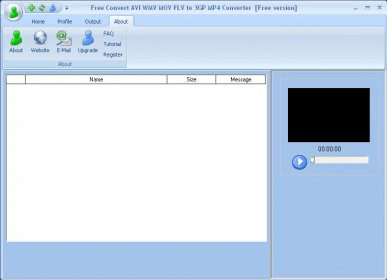
  • Clear interface with easy-to-understand quality presets and conversion settings.
  • Includes a useful YouTube downloader.
  • It should be named according to what it really is - a limited trial version.

Reviewed by: Francisco Javier Martínez Calvo

Reviewer rating:

Reviewed: Last year

Report a wrong version Report a wrong program title Suggest a correction

Screenshots

Main window Main window Main Interface Main Interface Selecting Videos to Convert Selecting Videos to Convert Conversion in Progress Conversion in Progress
All 5 screenshots

Latest comments


There are no comments, be the first one!
Add new comment

E-mail Address:

Password:

Register now »

Forgot password?

Sign in with:
Download Software Informer Client
Copyright © 2012, Informer Technologies, Inc. About| Privacy and terms| Help| Feedback & Support| Partners program